How Customer Support Teams Should Evaluate WhatsApp Business API Platforms for Order Updates
A delayed "your order has shipped" message turns into a support ticket. Order updates are transactional, time-sensitive, and governed by template categories and opt-in rules that marketing broadcasts are not. This breakdown of Best whatsapp business api provider covers the trade-offs in more depth.
This article covers what support teams should compare across WhatsApp Business API platforms: delivery reliability, message status visibility, inbox routing, WISMO automation, ecommerce integrations, and pricing beyond the headline rate. You will finish with a shortlist you can pilot.
Why Order Updates Are a Different Beast From Marketing Broadcasts
Order update messages fall under utility templates, not marketing, and this classification changes everything about how you build, submit, and send them. Customer support teams evaluating WhatsApp Business API platforms need to understand this distinction before comparing features or pricing, because it shapes template approval, delivery priority, and opt-in rules.
Marketing templates require explicit opt-in and face higher scrutiny from Meta. Utility templates, such as order confirmations and shipping updates, can be sent within an existing customer relationship. This means a customer who has just placed an order does not need to complete a separate marketing opt-in to receive a delivery notification.
Meta's template approval process for utility templates is typically faster than for marketing templates, but it still requires compliance with content policies. Templates with clear, transactional language tend to move through review more smoothly than those with promotional phrasing.
The 24-hour customer service window is another key difference. If a customer messages you first, you can respond with free-form session messages for 24 hours. Outside that window, you must use approved templates. This matters for resolving delivery issues, because a customer reply opens a window for real-time conversation.
Even for utility templates, prior consent is required, though it can often be obtained at checkout. Delivery rules also differ, with utility templates prioritized over marketing. A shipping update will generally reach the customer ahead of a promotional message sent at the same time.
Consider these examples of when to use each category:
- Utility: Order confirmation, shipping update, delivery exception, account alert
- Marketing: Seasonal promotion, product launch, re-engagement offer
- Authentication: One-time passcode for login or payment verification
- Session: Free-form replies within the 24-hour window after a customer message
Template message categories, opt-ins, and delivery rules that affect order notifications
Template message categories determine what you can send, when you can send it, and how much it costs, so getting them right is non-negotiable for order notifications. WhatsApp Business Platform recognizes four categories, each with its own consent and delivery rules.
Authentication templates carry one-time passcodes and verification codes. They can be sent based on an existing transaction, such as a login attempt, and hold the highest delivery priority. Utility templates cover order confirmations, shipping updates, and account alerts. They also rely on an existing transaction or relationship rather than a separate marketing opt-in.
Marketing templates include promotions and offers. They require explicit opt-in and sit at the lowest delivery priority. Session messages are free-form and only available within the 24-hour customer service window after a customer initiates contact.
Delivery priority follows a clear order: authentication first, utility second, marketing last. For support teams, this means a shipping update is more likely to arrive promptly than a promotional follow-up. Platform evaluation should include how each provider surfaces these priorities in its dashboard and reporting.
When structuring templates for order updates, use variables for order number, status, and estimated delivery. A template like "Your order {{order_id}} is {{status}} and expected by {{delivery_date}}" keeps the message specific without rewriting it for every order. Templates must be pre-approved by Meta, and clear language with no promotional content tends to speed approval.
The 24-hour rule deserves attention during platform comparison. If a customer replies to an order update, the business can send free-form messages for 24 hours. This is useful for resolving delivery issues, such as a missing package or an address correction, without waiting for a new template approval. Support teams should check whether a platform makes it easy to track when each window opens and closes.
Opt-in compliance remains a shared responsibility. Even utility templates need prior consent, which can be collected at checkout or during account creation. Platforms that help capture and store consent records reduce the risk of policy violations. When comparing Business Solution Providers, ask how they handle opt-in tracking and whether they surface delivery receipts and read receipts through webhooks for order update monitoring.
The Evaluation Criteria That Actually Matter for Support Teams
Support teams evaluating WhatsApp Business API platforms should focus on four pillars: delivery reliability, agent workflow, automation, and ecommerce integrations. These are the areas that shape daily operations, and they determine whether a platform reduces pressure on agents or adds to it.
Delivery reliability comes first because order updates only create value when they arrive on time. A tracking link sent hours late generates the same "where is my order" ticket as no message at all. Latency and status visibility sit alongside reliability, since teams need proof that messages reached customers.
Agent workflow covers the inbox, routing rules, and the tools agents use to handle order queries at volume. When conversations from multiple channels land in one place with order context attached, agents resolve issues faster and with less back-and-forth.
Automation addresses repetitive WISMO tickets. A well-built bot can answer order status questions instantly, freeing agents for complex cases that need a human touch.
Ecommerce integrations tie everything together. When the platform connects to your order management system, agents and bots pull live order data instead of copying details between tools.
Pricing models and opt-in compliance matter, but they are covered elsewhere in this guide. This section stays focused on the operational criteria that affect customer satisfaction and team efficiency every single day. Each pillar gets a closer look in the subsections that follow.
Delivery reliability, latency, and message status visibility
Delivery reliability is the foundation of order updates: if messages fail or arrive late, customers lose trust and support tickets spike. Before committing to a platform, ask vendors for their average delivery success rate.
Ask whether the platform returns delivery receipts and read receipts through webhooks. Without this, your team is sending messages into a void and cannot tell whether a customer actually saw a shipping notification.
Latency deserves the same scrutiny. Measure the time from API call to message delivery and compare it against your SLA. Slow delivery undermines even the most accurate tracking data.
Message status visibility should cover four states: sent, delivered, read, and failed. These should flow through a callback URL or webhook that your systems can consume. Real-time status data lets support teams catch failures early, before customers complain.
API rate limits are another practical concern. If a vendor throttles bulk order updates during peak periods, customers receive notifications late. Check whether the platform supports queuing so large batches of template messages go out smoothly.
Useful questions to put to any vendor or Business Solution Provider (BSP):
- What is your uptime SLA, and how is it measured?
- How do you handle failed messages, and are retries automatic?
- Can we access real-time delivery analytics through an API or dashboard?
- What rate limits apply to business-initiated conversations and template messages?
Inbox, routing, and agent workflow for high-volume order queries
A unified team inbox with smart routing is essential when agents handle hundreds of order-related queries daily. The ideal inbox consolidates WhatsApp, Facebook Messenger, Instagram DM, and web chat into one interface. Customer context, including order history and past conversations, should be visible without switching tabs.
Routing options determine how quickly queries reach the right agent. Common models include:
- Round-robin, which distributes conversations evenly across available agents
- Skill-based routing, which sends delivery disputes or refund requests to specialists
- Load-based routing, which assigns new chats to agents with the lightest queues
Workflow features matter just as much. Canned responses speed up common order status replies, internal notes keep context for the next agent, and tagging helps teams track recurring issues. Collision detection prevents two agents from answering the same customer at once, which avoids confusing duplicate replies.
Evaluate platforms against concrete metrics: average response time, first-contact resolution rate, and agent utilization. Simulate a surge of "where is my order" messages and watch how the platform queues and assigns them. Does the backlog clear, or do conversations sit unassigned?
Mobile access is worth confirming too. Agents who can check a queue or reply from a phone keep response times steady during peak seasons and outside standard hours.
Automation and bot capabilities for WISMO (where is my order) tickets
WISMO tickets are repetitive and high-volume, and automating them with a bot can deflect a large share of order status inquiries. The bot connects to your order management system, fetches live order status, and replies with tracking links and delivery estimates. Customers get answers in seconds, and agents get their time back.
Bot builder requirements deserve close attention during platform evaluation. Look for a drag-and-drop interface that lets support leads build flows without coding. The bot should also hand off to a human agent cleanly when a query falls outside its scope.
Natural language understanding separates a useful bot from a frustrating one. It should recognize variations such as "where is my order "track my package and "order status" without requiring customers to phrase things a specific way. Test each platform with real customer wording, not just scripted examples.
Evaluation criteria to apply:
- Ease of building and editing conversation flows
- Integration with your ecommerce platform and order data
- Ability to personalize responses with order numbers, carrier names, and delivery windows
- Fallback behavior when the bot cannot resolve a query
Track bot containment rate, escalation rate, and customer satisfaction after bot interactions. These metrics show whether automation is genuinely helping or just adding a layer before customers reach a person.
Compliance is not optional. Bots must respect WhatsApp's 24-hour customer service window and template rules. Replies to customer-initiated conversations can be free-form within that window, while business-initiated updates require approved utility templates.
Ecommerce and order management system integrations
Seamless integration with your ecommerce platform and order management system is what turns WhatsApp from a chat channel into an order updates engine. Without that connection, agents end up copying tracking numbers by hand, and customers receive updates late or not at all.
The right WhatsApp Business API platform should connect directly to the systems where order data already lives. That means your customer support teams can automate order updates instead of treating every shipment notification as a manual task.
When evaluating platforms, start with the connectors that matter to your business. Most support teams need at least one of the following:
- Shopify for order confirmations, fulfillment alerts, and delivery notifications
- WooCommerce for WordPress-based stores with custom order workflows
- Magento for larger catalogs and multi-store enterprise setups
- BigCommerce for mid-market and B2B storefronts
- Custom APIs for in-house order management systems or ERP platforms
If your store runs on a niche platform, ask whether the provider supports webhooks or a generic REST API. That flexibility determines whether you can still automate updates without a native connector.
Integration depth separates a useful platform from a frustrating one. A native connector is pre-built and maintained by the vendor, so it typically handles authentication, field mapping, and retries without extra engineering work. A connection built through Zapier or raw webhooks can work, but it often depends on your team to monitor failures and keep mappings current.
For order updates specifically, native is usually preferred because reliability matters more than flexibility. A missed webhook can mean a customer never learns their package shipped.
Once connected, the platform should pull order details automatically to populate template messages. That includes the order ID, item names, tracking number, carrier, and estimated delivery date. When an order status changes in your OMS, it should trigger the right utility template without an agent touching it.
Real-time sync is equally important. If the platform polls your system every few hours, customers may receive a "shipped" message after the package has already arrived. Ask how often data refreshes and whether status changes push instantly or on a schedule.
Multi-store setups add another layer of complexity. A brand running separate storefronts for different regions or product lines needs the platform to route updates from the correct source. Otherwise, a customer in one market may receive tracking details meant for another.
Bring a short list of questions to every vendor demo:
- Which ecommerce platforms do you connect with natively?
- Can we trigger messages based on specific order events, such as fulfillment or delivery?
- How do you handle multi-store or multi-region setups?
- What happens when a sync fails, and how are we alerted?
Their answers reveal whether the integration is a genuine product feature or a marketing line. Push for specifics on error handling and sync frequency before committing.
Pricing Models: What to Compare Beyond the Headline Rate
The headline rate per conversation is just the tip of the iceberg. Platform fees, markups, and add-ons can double your actual cost.
When customer support teams evaluate WhatsApp Business API platforms for order updates, the quoted per-conversation price rarely tells the whole story. There are two distinct cost layers to separate: what Meta charges for conversations on the WhatsApp Business Platform, and what the vendor charges for access to that infrastructure.
Some Business Solution Providers pass through Meta's rates exactly and earn revenue through a subscription. Others add a markup on every conversation. Both models can be legitimate, but they produce very different bills at scale.
Conversation-based pricing also changes how you forecast. You pay per 24-hour session, not per message. A burst of order updates sent within one open window costs the same as a single message, which makes high-volume notification flows more affordable than per-message billing would suggest.
Platform fees vary just as widely. They may be a flat monthly subscription, a tiered structure based on agent seats, or a charge tied to message volume. A low headline rate paired with steep platform fees can cost more than a higher rate with predictable pricing.
The sections below break down conversation charges, markup structures, and the add-ons that grow with your team. Comparing only the headline rate without mapping the full cost structure is the most common mistake in platform evaluation.
Conversation-based charges, platform fees, and markup on WhatsApp conversations
WhatsApp charges per 24-hour conversation, not per message, so understanding how sessions are counted is crucial for accurate cost forecasting.
A conversation opens when the first message is sent and stays open for 24 hours. Every message exchanged inside that window counts as one conversation. For order updates, this is favorable: a confirmation, a dispatch notice, and a delivery alert sent within the same session are billed once.
Meta applies different rates by conversation category. Utility templates cover order confirmations and delivery notifications. Marketing, authentication, and service conversations carry their own rates, and service conversations opened by the customer are often priced differently from business-initiated ones.
Vendors then layer their own charges on top. Common approaches include:
- Pass-through: Meta's rate is billed exactly, with revenue from a subscription
- Per-conversation markup: a flat or percentage fee added to each conversation
- Bundled: conversation costs folded into a monthly plan with included volume
Platform fees sit alongside these charges. They may be a flat monthly subscription, a per-agent fee, or message-based tiers. Ask every vendor for a written breakdown of Meta charges, vendor markup, and platform fees as separate line items.
Add-on costs that scale with team size and message volume
Add-ons like extra agents, additional channels, and automation actions can quietly inflate your bill as you grow.
These costs are easy to overlook during platform evaluation because they look small at pilot scale. They are not small once your order update operation expands across regions, channels, and headcount.
Common add-ons to price out include:
- Additional team members: often billed per agent per month, which compounds quickly
- Extra social channels: adding Instagram, Facebook, or other inboxes to the same platform
- Automation actions: charges per block of bot interactions
- Premium support: faster response times or a named contact, usually a separate line item
Scaling from 5 to 20 agents can push add-on costs past the base subscription itself. A rough formula helps: base plan + (agents x per-agent fee) + (message volume x per-conversation markup) + add-ons. Run it at your current size and at double, so you see the curve before you commit.
Two levers reduce this pressure. First, negotiate volume discounts on conversations and seats once your numbers are predictable. Second, check whether higher tiers include unlimited agents. For a growing customer support team, a bundled tier often costs less than a cheap base plan loaded with per-seat fees.
Compliance, Security, and Meta Partner Status
Compliance with WhatsApp policies and Meta partner status are non-negotiable for businesses handling sensitive order data. Order updates often contain customer names, addresses, phone numbers, and purchase details. A vendor that cuts corners on compliance puts that data, and your brand reputation, at risk.
Meta maintains strict rules for anyone accessing the WhatsApp Business Platform. Vendors must follow opt-in requirements, template approval processes, and messaging limits. When a provider ignores these rules, accounts can be restricted or banned without warning.
Security matters just as much as policy compliance. Customer support teams should confirm that a platform encrypts order details both in transit and at rest. They should also check how the vendor handles access control, logging, and regional data storage.
Regulations add another layer. Businesses serving customers in the EU must account for GDPR, while those with US customers may fall under CCPA. A platform that cannot support these obligations creates legal exposure for the brands that use it.
This section covers how to verify a vendor's Meta partner credentials, what enterprise-grade encryption should look like, and which compliance questions belong on every evaluation checklist.
Official Meta Business Partner credentials and enterprise-grade encryption
An official Meta Business Partner badge means the vendor has been vetted by Meta for technical competency, security, and compliance. This status separates serious providers from resellers who simply pass traffic through a third party.
Verification is straightforward. Check the official Meta Partner Directory for the vendor's listing, or ask the vendor directly for their Partner ID and Business Solution Provider (BSP) credentials. A legitimate partner will share this information without hesitation.
Partner status brings concrete benefits for customer support teams sending order updates:
- Direct access to the WhatsApp Business Platform, including the Cloud API and On-Premises API
- Priority support channels with Meta when technical issues arise
- Adherence to Meta's security and data handling requirements
- Lower risk of sudden disconnection or access revocation
Non-BSP vendors may resell access through an intermediary. That arrangement can work in the short term, but it introduces real risks. If the intermediary loses its own access, your order update pipeline can go dark with little notice.
Encryption deserves equal scrutiny. Messages should be end-to-end encrypted in transit, which the WhatsApp Business Platform handles by default. Data at rest, such as stored order histories and customer records, should be encrypted separately.
Beyond encryption, look for two-factor authentication, role-based access control, audit logs, and data residency options. These features limit who can see customer order details and where that data physically lives. Data residency matters for businesses with regional compliance obligations.
Bring a short list of questions to every vendor demo:
- Are you a Meta Business Partner, and what is your Partner ID?
- How do you encrypt data at rest, and which standard do you use?
- Do you comply with GDPR, CCPA, and other applicable regulations?
- Can you provide audit logs and role-based access controls?
- Where is customer data stored, and can we choose the region?
Answers to these questions reveal how seriously a vendor treats order update security. Vague responses or reluctance to share credentials are warning signs worth heeding before signing any contract.
How Com.bot Fits Into an Order Updates Stack
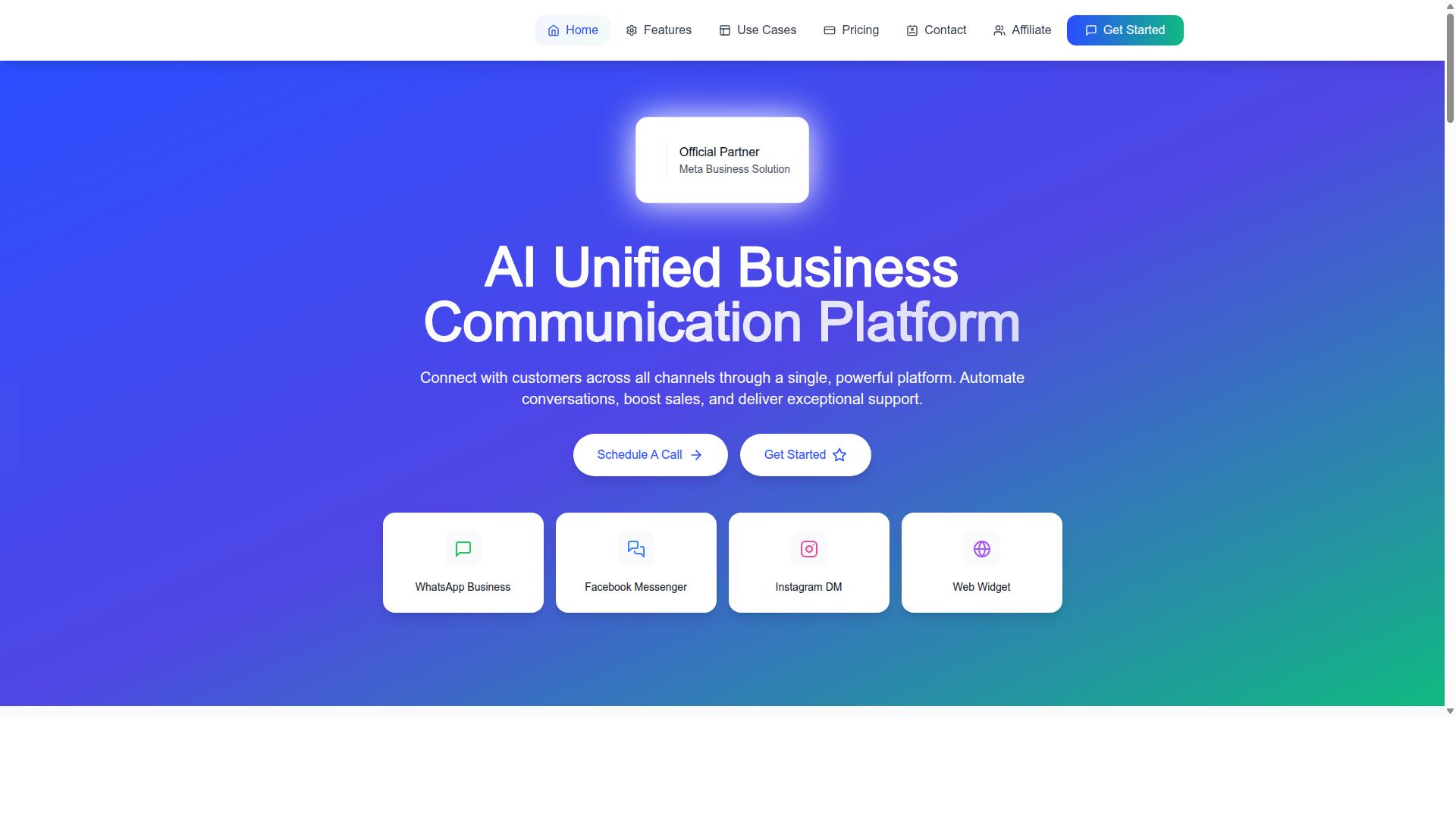
Com.bot is an AI Unified Business Communication Platform that combines a unified inbox, visual bot builder, and native WhatsApp payments to streamline order updates. It is built for businesses that want to automate and scale communication across channels rather than manage each one separately.
Against the platform evaluation criteria covered earlier, Com.bot addresses several practical requirements at once. It holds Official Meta Business Partner status with direct WhatsApp Business API integration, which matters when support teams compare providers on compliance and channel reliability.
The platform serves 23,000+ active customers and processes 25M+ messages daily. For teams handling high volumes of order status questions, that scale signals the infrastructure can absorb spikes without falling over.
Com.bot is owned and managed by Com Bot AI Limited. It connects WhatsApp Business, Facebook Messenger, Instagram DM, and Web Widget through a single platform, with automation, sales, and support capabilities layered on top. The sections below break down what each core component does for order updates.
Unified inbox, visual bot builder, and native WhatsApp payments in one platform
Com.bot's unified inbox consolidates WhatsApp, Facebook, Instagram, and web chat so agents can manage all order queries from one screen. Instead of switching between apps, a support team sees every conversation in a single queue with customer context and order history attached. That context is what turns a vague "where is my order" message into a fast, accurate reply.
The visual bot builder uses a drag-and-drop interface to create WISMO bots without coding. Teams can connect with order management systems so the bot pulls live status data, then set up fallback to human agents when a query falls outside the bot's scope. This keeps automation useful without trapping customers in dead ends.
Native payments for WhatsApp transactions let customers pay directly within the chat. That reduces friction for cash-on-delivery orders or prepayments, since the payment step stays inside the conversation rather than redirecting elsewhere.
Com.bot also includes bulk messaging, template management, and analytics. Bulk messaging supports outbound order notifications at scale, template management keeps business-initiated messages aligned with WhatsApp's template requirements, and analytics show how conversations and updates perform. As an official Meta Business Partner, Com.bot operates with enterprise security including end-to-end encryption.
Consider an ecommerce store using Com.bot to send order confirmations, shipping updates, and handle WISMO queries automatically. The confirmation goes out after checkout, shipping updates follow as the order moves, and routine status questions get answered by the bot while complex cases route to an agent in the same inbox.
Building Your Shortlist and Running a Pilot
After evaluating criteria, narrow your options to 2-3 vendors and run a pilot focused on order update scenarios. A structured shortlist keeps the decision grounded in evidence rather than sales presentations.
Start by building a weighted scorecard. Assign each criterion a weight that reflects how much it matters to your order update workflow, then score every vendor against it. A starting point many customer support teams use looks like this:
| Criterion | Suggested Weight | What to Score |
|---|---|---|
| Delivery reliability | 30% | Message delivery rates, delivery receipts, and read receipts |
| Automation | 25% | Bot flows, template messages, and webhook support |
| Integrations | 20% | Order management systems, helpdesk tools, and callback URL setup |
| Pricing | 15% | API pricing, conversation-based pricing, and per-message billing |
| Compliance | 10% | Opt-in compliance, WhatsApp policy alignment, and template approval |
Score each vendor on a simple scale, multiply by the weight, and rank the totals. The top two or three move forward to a pilot. Vendors that cannot clearly explain their approach to Meta requirements, template categories, or the 24-hour customer service window should drop off the list early.
Before the pilot begins, define success metrics in writing. Typical targets for an order update use case include a delivery rate, bot containment, average response time, and a clear cost per order update. These thresholds keep the pilot objective instead of subjective.
Run the pilot with a subset of orders rather than your full volume. This limits risk while giving you enough data to compare vendors fairly. Keep the order types consistent across vendors so the results stay comparable.
During the pilot, collect feedback from two groups. Agents can report how the platform handles escalations, handoffs, and the customer service window. Customers can report whether updates arrived on time and whether the messages felt useful rather than noisy.
At the end, compare pilot results against your scorecard. Where a vendor underperformed on delivery reliability or automation, note whether the gap came from the platform or from your own template design. This distinction matters when you sit down to negotiate contracts: pilot data gives you concrete points to discuss on API pricing, per-message billing, and volume commitments.
If you want to include a Business Solution Provider in your shortlist, Com.bot offers a trial or demo. You can reach the team at [email protected] or by phone and WhatsApp at +91 080 6987 1810 during business hours, Monday to Friday, 9:00 AM to 6:00 PM IST. Their head office is at 501, Trinity Orion, Vesu Main Road, Surat - 395010, IN, and WhatsApp support is available.
Start your evaluation with a clear shortlist and a written pilot plan. Vendors that perform well under real order update conditions, not just in demos, are the ones worth signing.